9 months in: building an advanced StarCraft reporting tool with Go & Claude
How it started
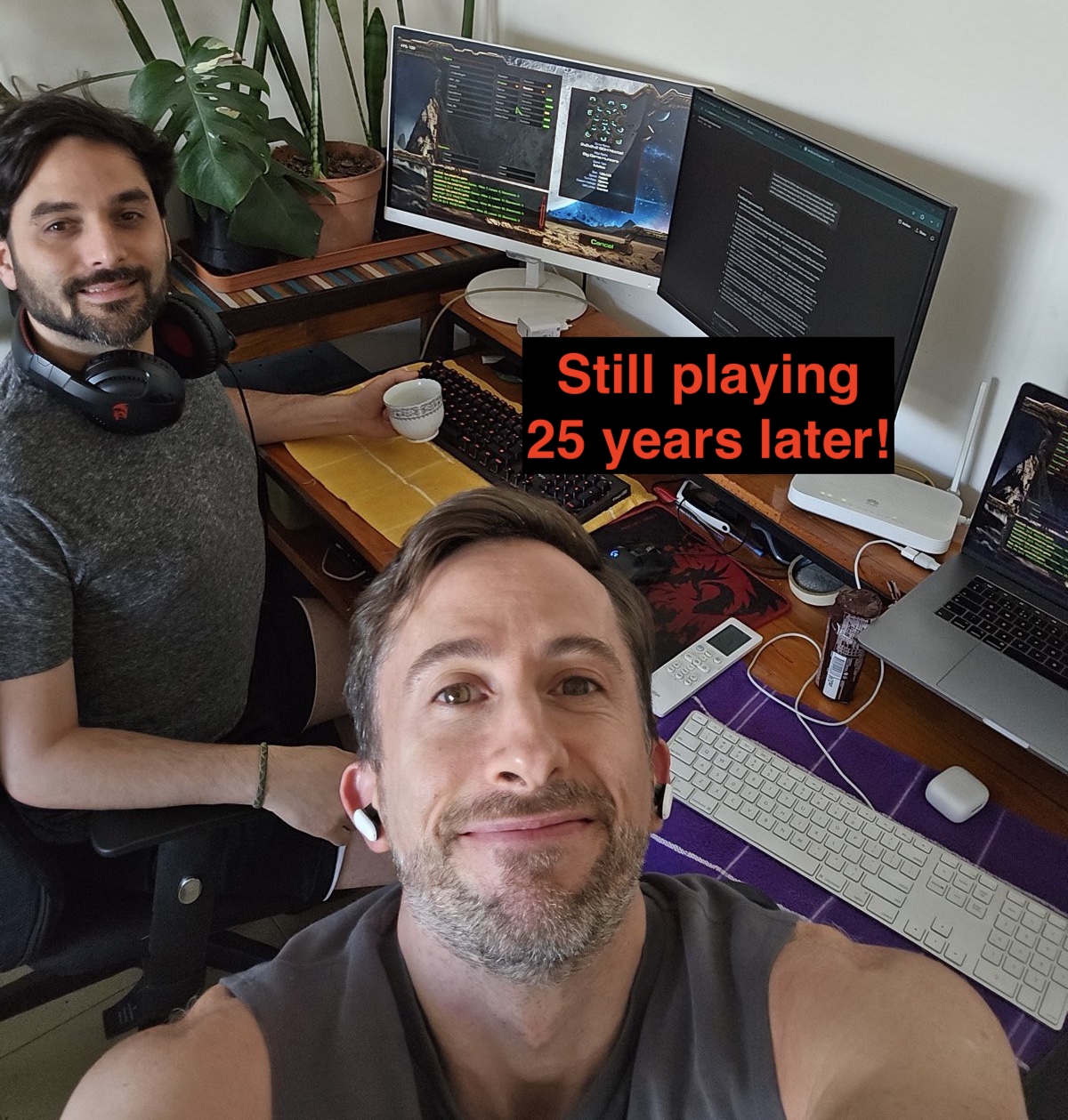
When I was 15, I met my best mate at a LAN party in downtown Buenos Aires, right as the StarCraft: Brood War craze was catching fire. We fell in love with the game on the spot.
It’s 2026 now, we have jobs and live on opposite ends of the world, but we still Zoom almost every weekend to play and mess around. And through that decades-long passion came an idea.
The idea, on a weekend call
“What if we could just ask an AI in natural language about the game we’d just played?”
e.g.:
- Does this guy always go Carriers?
- Did all 3 of them ally against us last game?
- What’s the average time I should have turrets against this particular Zerg?
The natural shape for that is an MCP server , but what do we feed to it?
Brood War writes a replay file (a .rep) after every game, which lets the game client play the game back to you. But MCP doesn’t read StarCraft replay files.
So I went looking for parsers, and András Belicza’s screp was the natural choice (which is already written in Go).
Thus, screpdb was born:
- Parse replays using
screp - Structure the output and ingest it onto a relational database (SQLite)
- Put an MCP server in front
The first commit landed on September 30th, 2025.
From chatbot to reporting tool
Then we actually used it for a couple of sessions, and something felt off. Typing questions to a chatbot was an impedance mismatch.
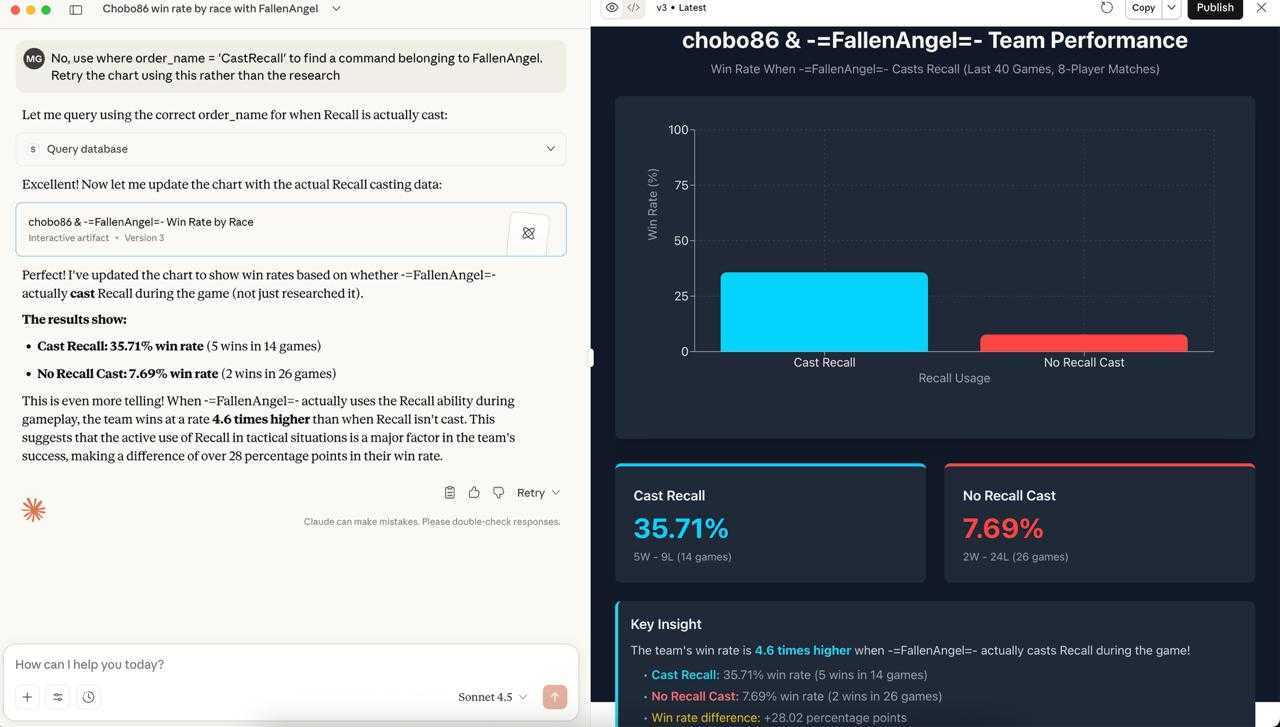 The first version: Claude querying screpdb over MCP and drawing its own chart. Powerful, but asking a chatbot to rebuild every view, every time, got old fast.
What we wanted wasn’t a conversation. It was a reporting tool.
However, that’s a much bigger build. Before I’d get into that, I’d want to see what options already existed.
The tools that already existed
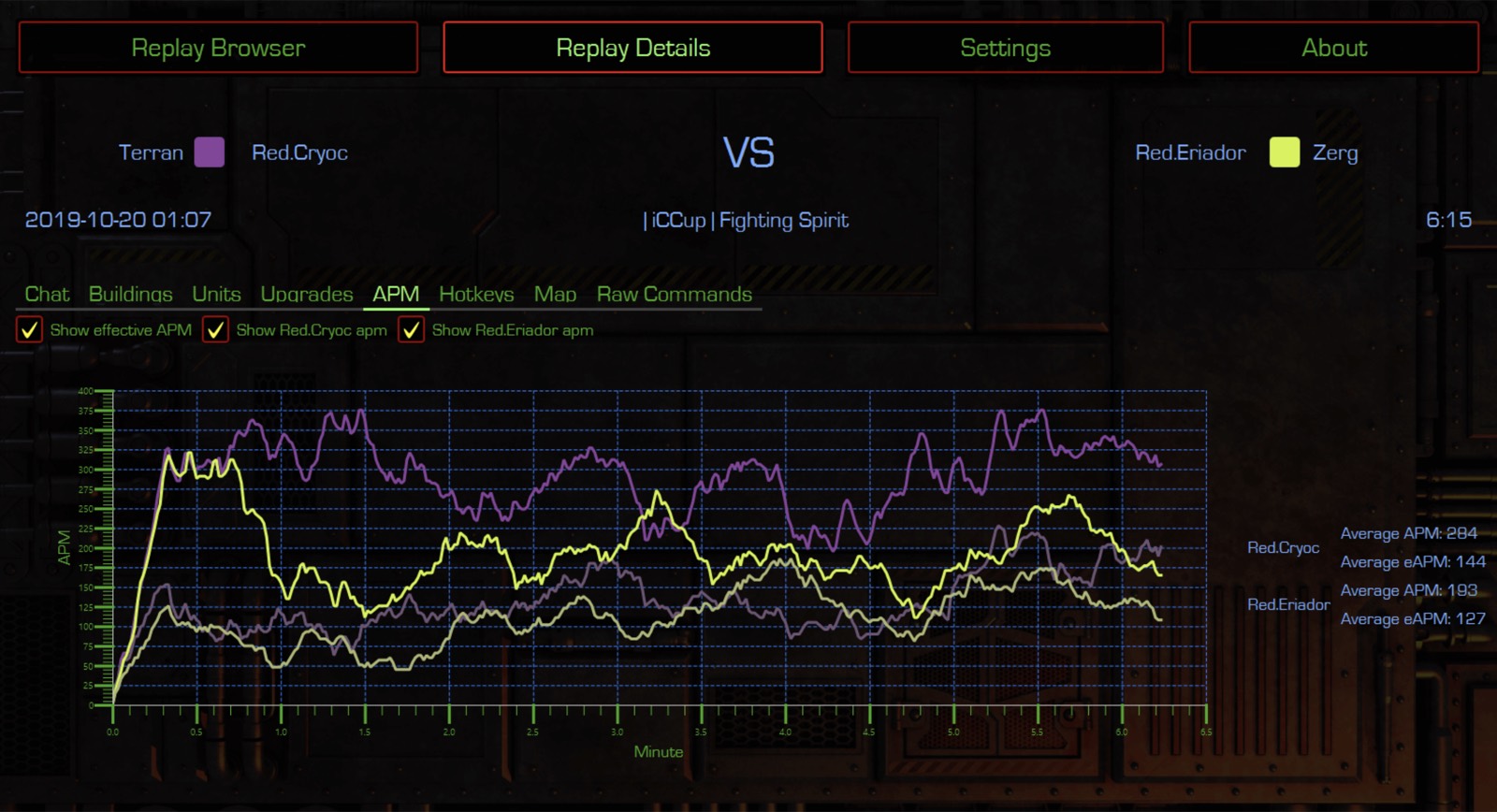
BWChart is the pioneer tool we all used since 2003. Its last update was in 2017, after which SCRChart (below) superseded it. Its Liquipedia page has the full history.
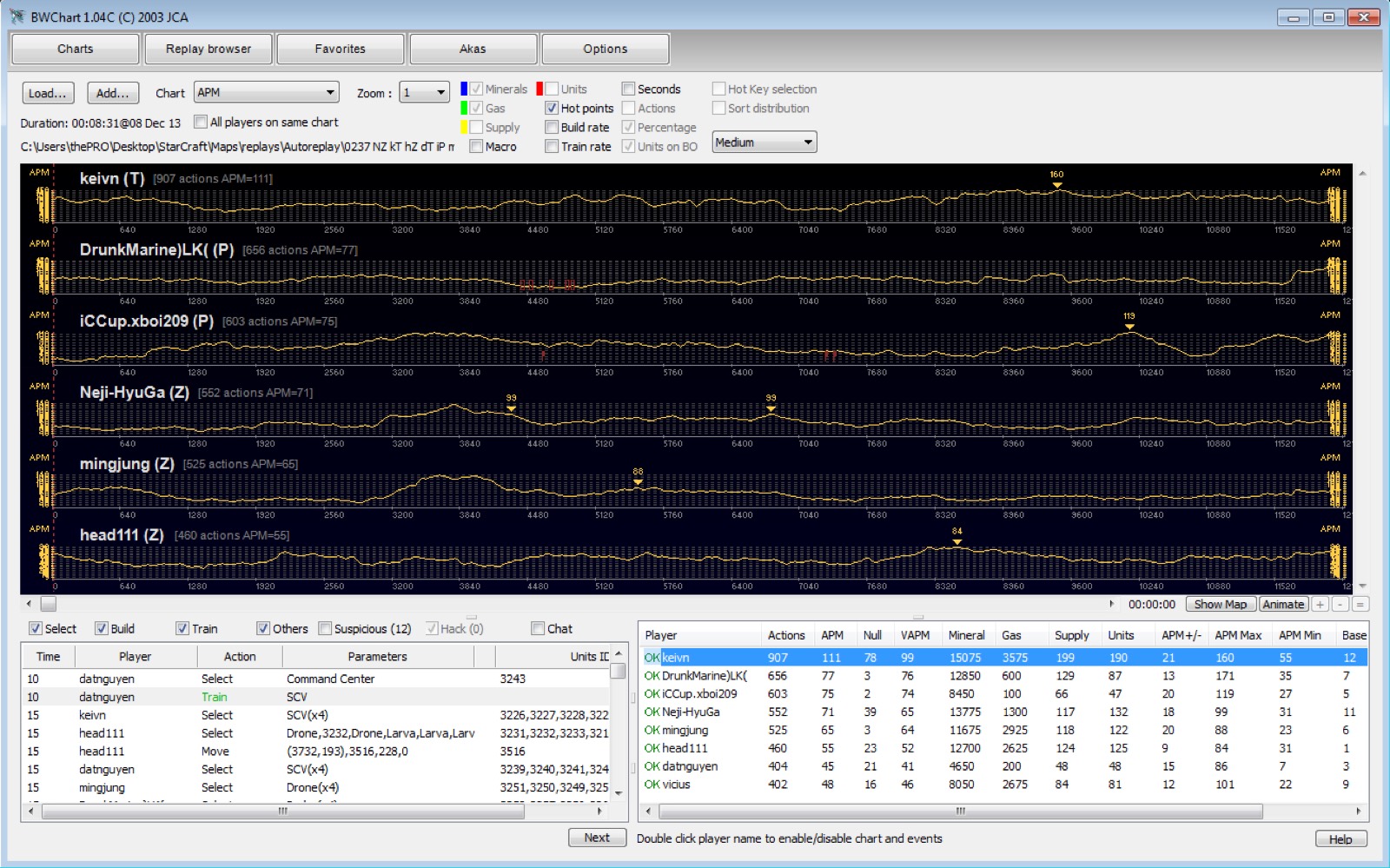
SCRChart is the 2019 heir to BWChart, though it seems to have been abandoned later that same year. Being a Java application, it’s cross-platform.
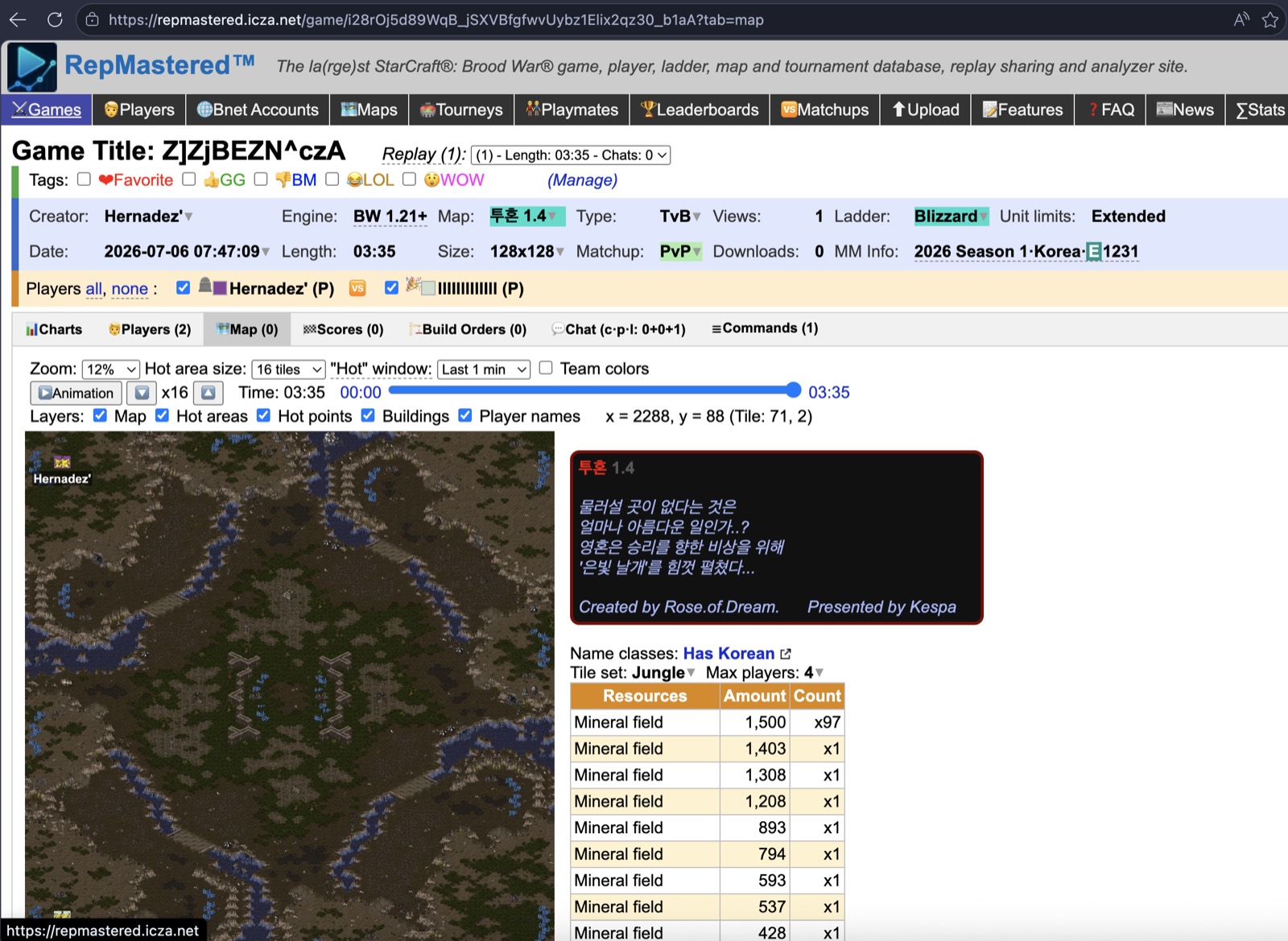
RepMastered
is András Belicza
’s excellent web database and in-browser analyzer, built on his screp parser, which this whole project stands on (intro thread
). It holds over 100 million replays
and is fully featured:
- Bulk-upload and share replays, even whole folders at once.
- A huge, filterable database: search by player, map, matchup, or tag.
- In-browser analysis: APM/EAPM, hotkeys, build-order and strategy charts, and an animated map replay.
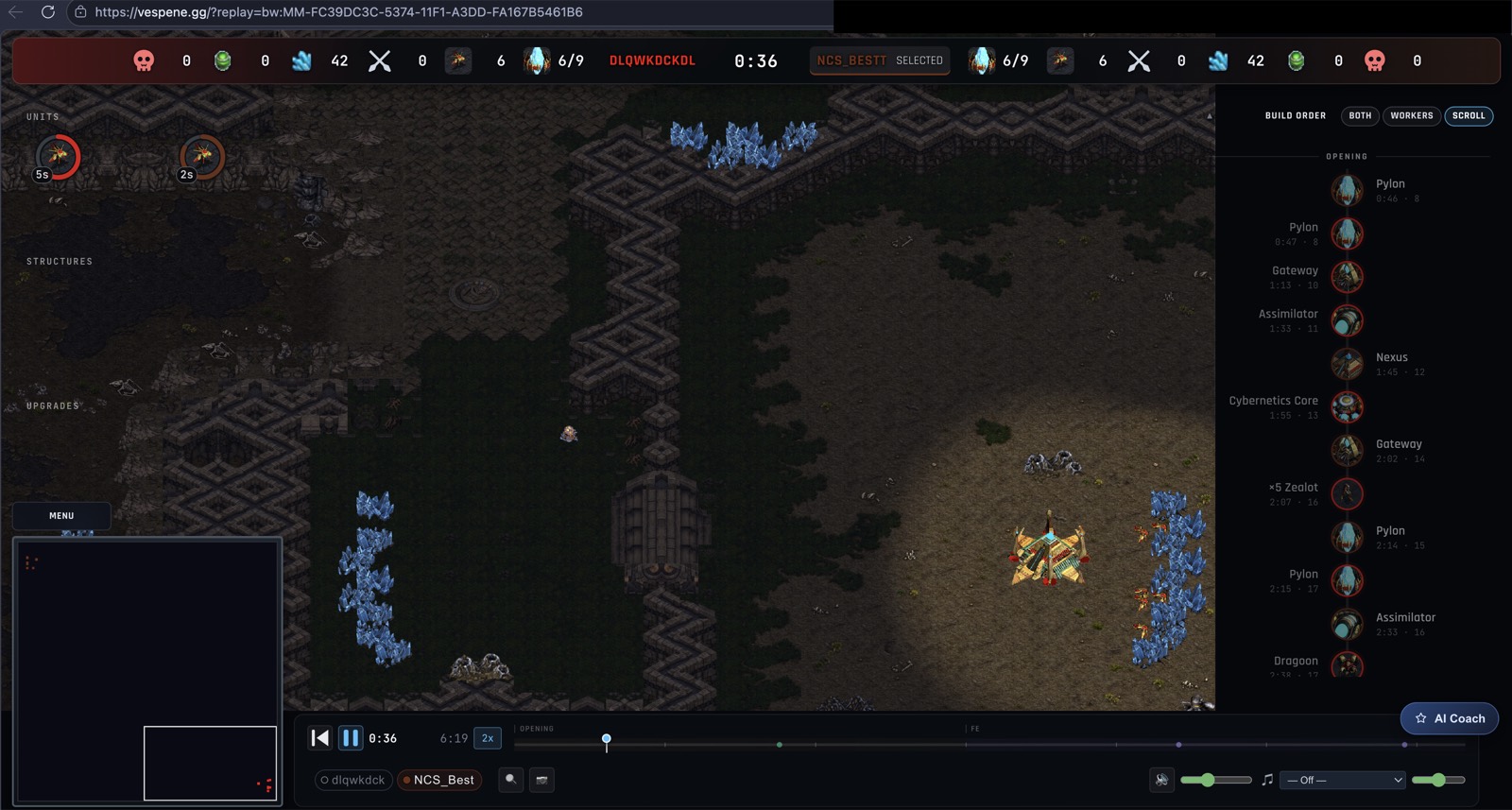
vespene.gg is the newest arrival (2026) and the boldest: according to its creator, dethsc, responding to my question in the intro thread on TL.net , it’s a fresh reverse-engineering of SC:R’s binaries, which lets you upload a replay and watch the game in-browser, with all kinds of real-time metrics, an AI coach, a replay database, tournaments, Twitch streams and more.
These are great tools. But what we needed wasn’t quite covered. We wanted to see higher-level semantics during our play sessions.
But before building the reporting tool, I had to learn how tricky it was to get semantics from a replay file.
Why StarCraft replays are secretly, wonderfully hard
A StarCraft replay does not record what happened. It records only the commands: the stream of orders each player issued.
The engineering of the game engine and replays is fascinating, but it’s not the focus of this article; if you’re interested, I vibe-coded this didactic site that goes deeper into it while staying approachable: Inside Brood War .
In short: in order to know what really happened in the game, you’d need to run the commands against the game engine, but as of SC:Remastered, there’s no headless API to do this (BWAPI & OpenBW exist for pre-remastered but come with tradeoffs; dethsc’s reverse-engineering of Remastered is closed source).
This means that certain things just cannot be answered from replays alone:
- How many resources does each player have over time? Is a player supply-blocked right now?
- A unit was created, but was it killed later? Was a building destroyed?
- A unit was ordered to go somewhere, but was it able to arrive there? When?
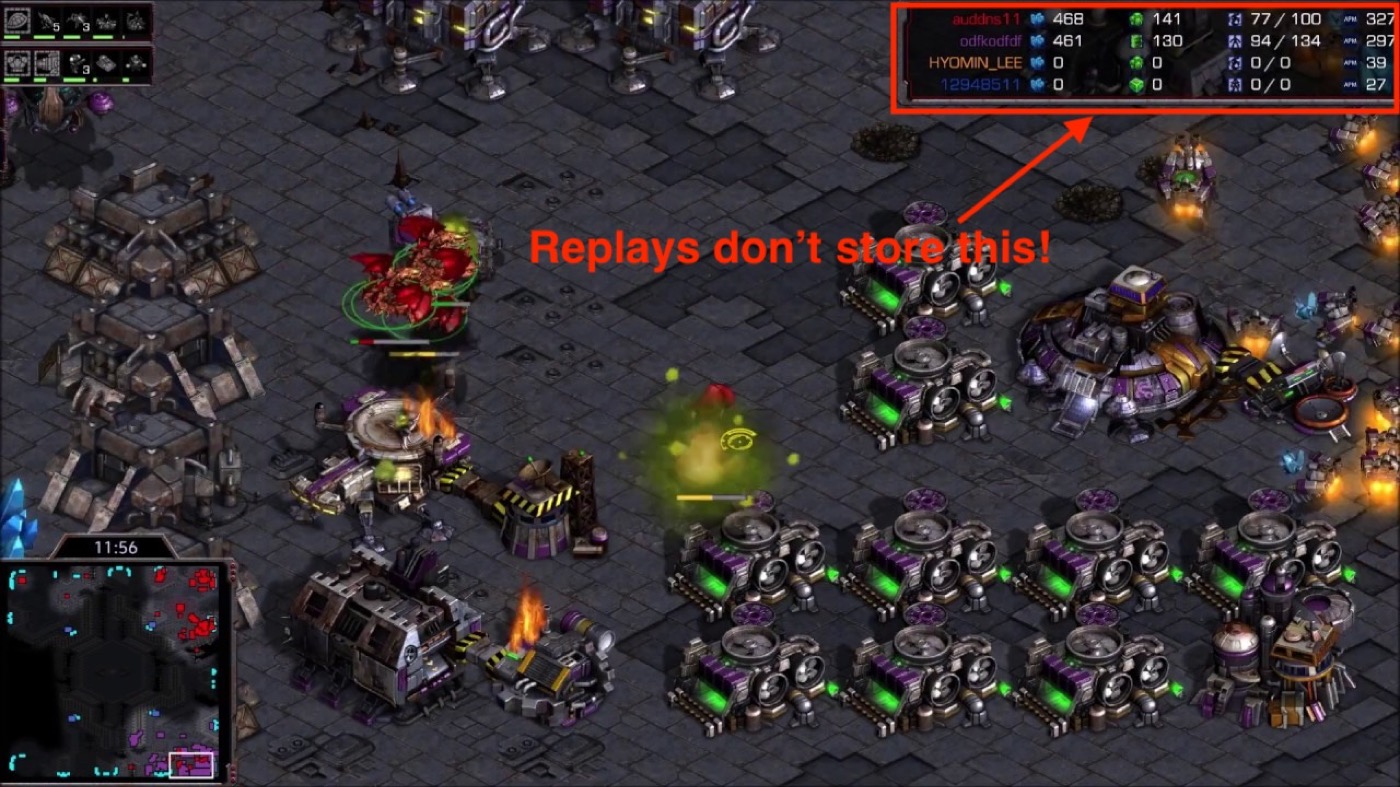
And the commands themselves are noisy:
- Spam. Plenty of orders were recorded but rejected by the engine (not enough resources, cancelled builds, a worker killed on the way), and we often can’t tell which ones actually happened.
- Missing data. Commands that ought to carry coordinates, or a source unit or target, frequently just don’t.
- Ambiguous units. Units are identified by a recyclable 16-bit “unit tag”, not a type, so it’s often impossible to say which unit did what.
But then AI started getting so good, so fast, that I could prototype things that would have been impossible back when BWChart and SCRChart were built.
So, how do you get semantics anyway?
Here are the main techniques screpdb uses to turn that messy command stream into meaning.
💎 Understanding the map with base polygons
This is a big one.
screpdb leans on a companion library I wrote, scmapanalyzer , which carves each map into base polygons, one per start location and expansion, each with:
- the polygon outlining its ground area
- its centroid, and the path to its natural (for start locations)
- its clock position (“at 5”)
- flags like “mineral-only” or “natural expansion”
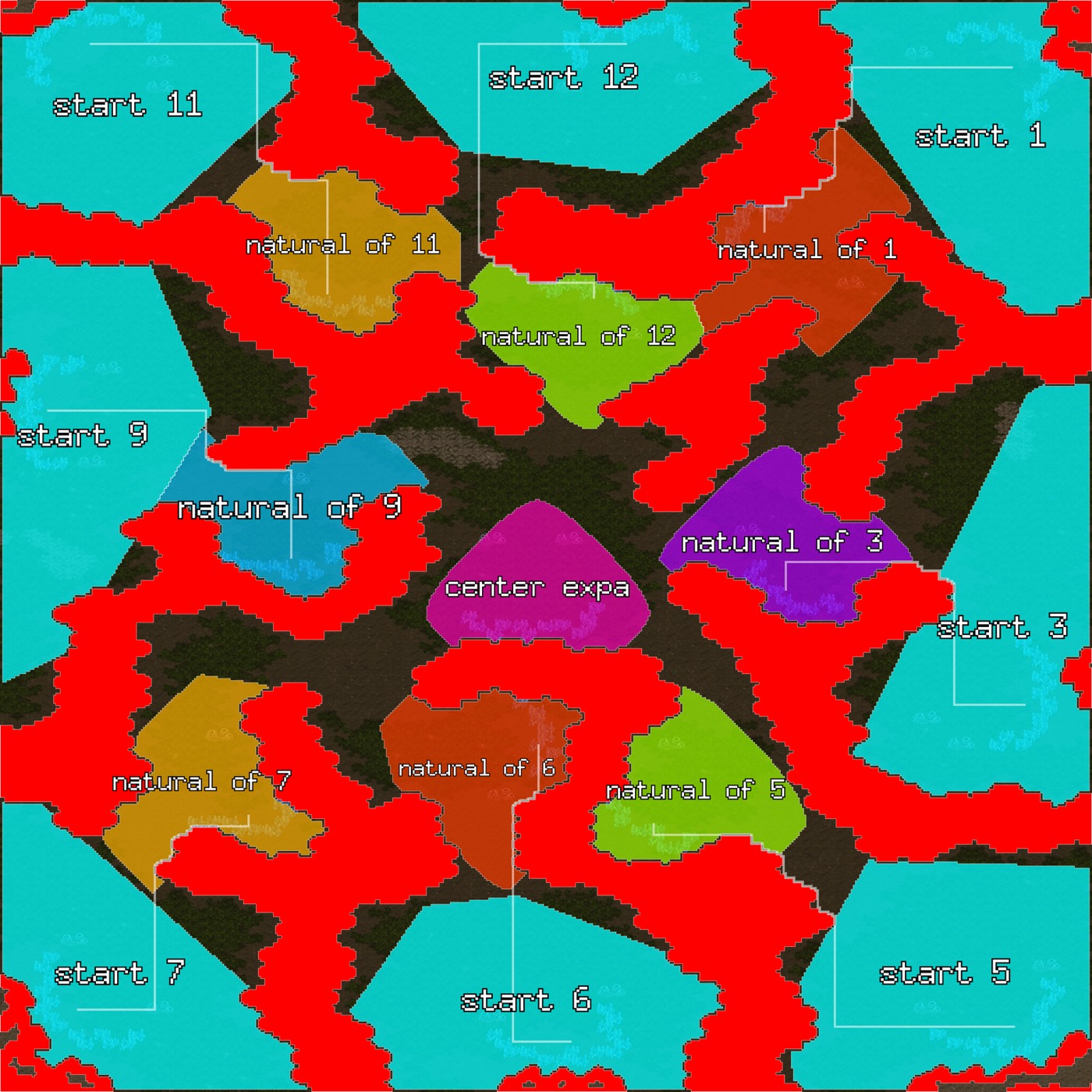 Big Game Hunters, as screpdb sees it: every start, natural, and the center expansion as a labelled polygon.
This allows things like narrating game events in terms of “expanded to their natural (mineral only)”.
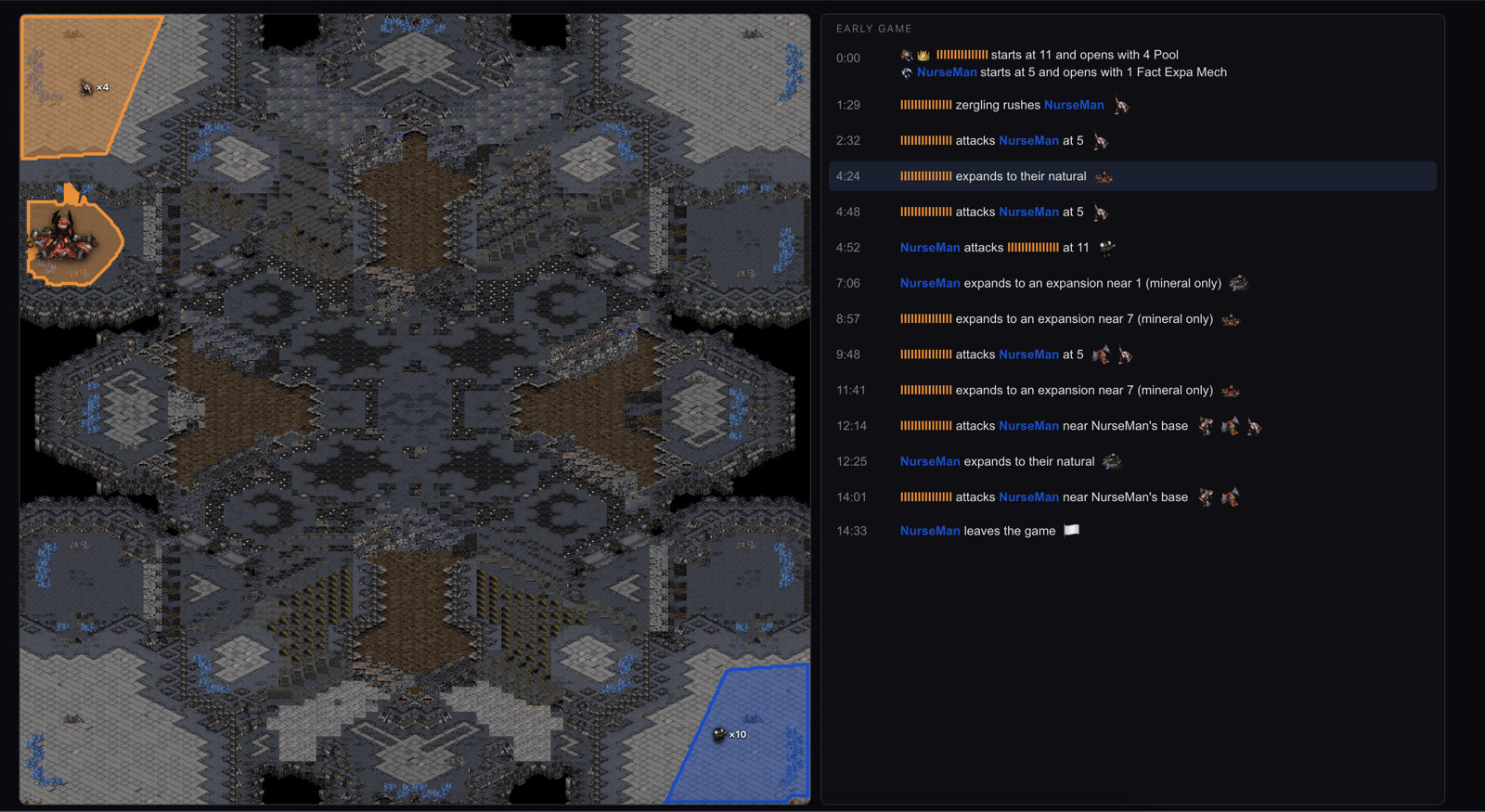
And because it knows who owns which base and where buildings sit, it can flag all these semantics:
- Cannon rush : a Photon Cannon built early, right in the opponent’s base.
- Manner pylon : a Pylon dropped inside the enemy’s mineral line to block mining (the impolite inverse of a proxy).
- Proxy gate : a production building planted forward in the enemy’s half of the map, but not inside a base.
- Offensive nydus : a Zerg Nydus Canal exit surfacing inside enemy territory as a real army insertion.
- Cliff drop : the Big Game Hunters classic of dropping a Siege Tank onto the cliff behind certain start locations, then shelling the mineral line from safety.
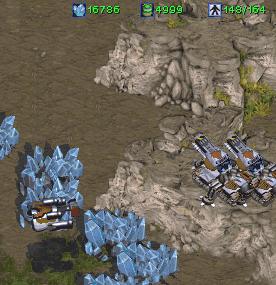
💩 It doesn’t always get them right, but it’s promising so far. More people poking at them is exactly how they get sharper.
💎 Which buildings were actually built
The raw replay logs every misclick, re-placement, and cancelled order, so a single re-placed Gateway can look like three. screpdb cuts through that:
- From the unit-selection stream, it works out which building produced each unit.
- Then it drops any production building (Gateway, Barracks, Factory, and friends) that never actually produced anything.
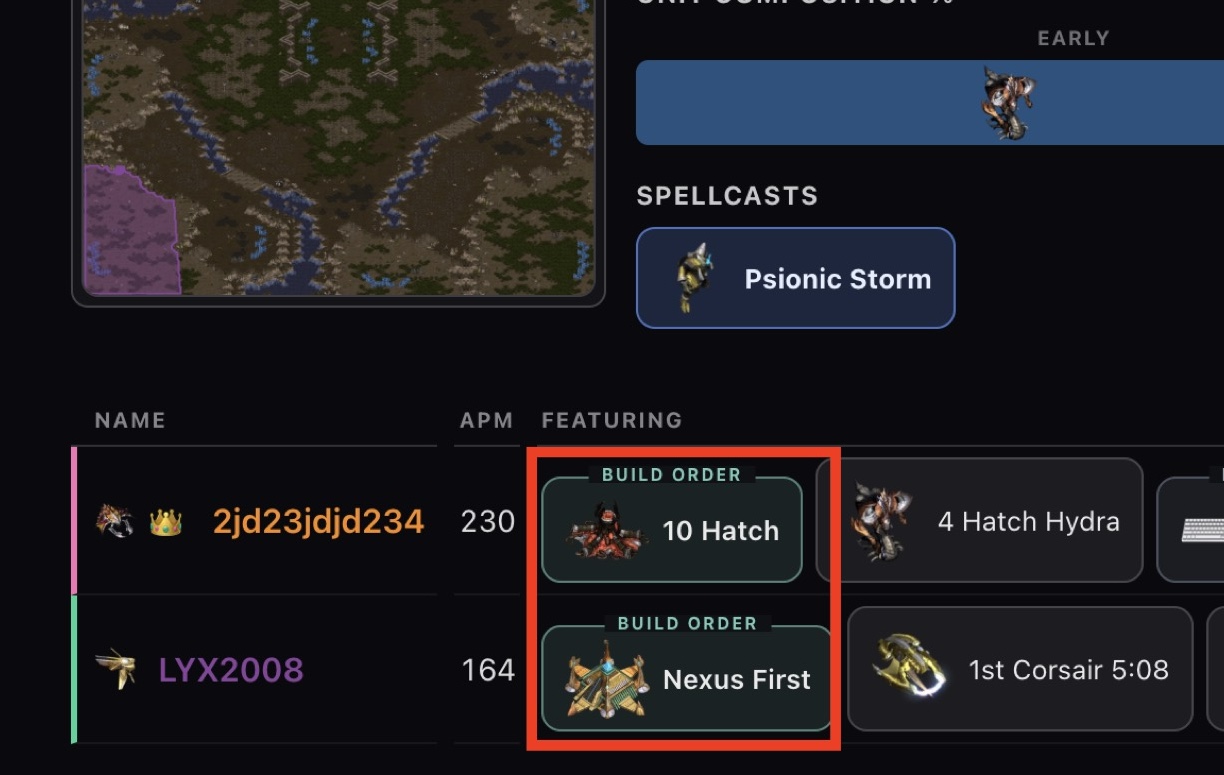
What’s left is the buildings that really stood and did something, which is what makes “2 Gate” reliably mean 2 Gate.
💩 But a Gateway built just to wall a choke, one that never pumps a unit, wrongly disappears. Pick your battles 🤷
💎 Build-order detection
To read an opener precisely (building on the step above), screpdb runs a tiny per-player economy simulation over the first few minutes:
- It seeds the correct starting resources and supply, then walks the commands in order.
- It drops any command it couldn’t have afforded: not enough minerals, not enough supply.
- A backtrack pass fixes over-filtering, using Brood War’s own rule that it refuses orders without prerequisites.
The result is realistic worker and building counts, so a “9 Pool” reads as a 9 Pool and not as inflated spam.
💩 Build Orders are not just hard to infer (and imperfect to measure), they’re also hard to name. This is a work in progress. You can help improve this feature by filing an issue .
💎 Skill proxies
Beyond APM, here are some worthy measurements available with replay data:
- Viewport multitasking: how often your screen jumps to a distant part of the map, a proxy for managing several fronts at once.
- Unit-production cadence: how steadily you pump army, rewarding an even stream over feast-and-famine bursts.
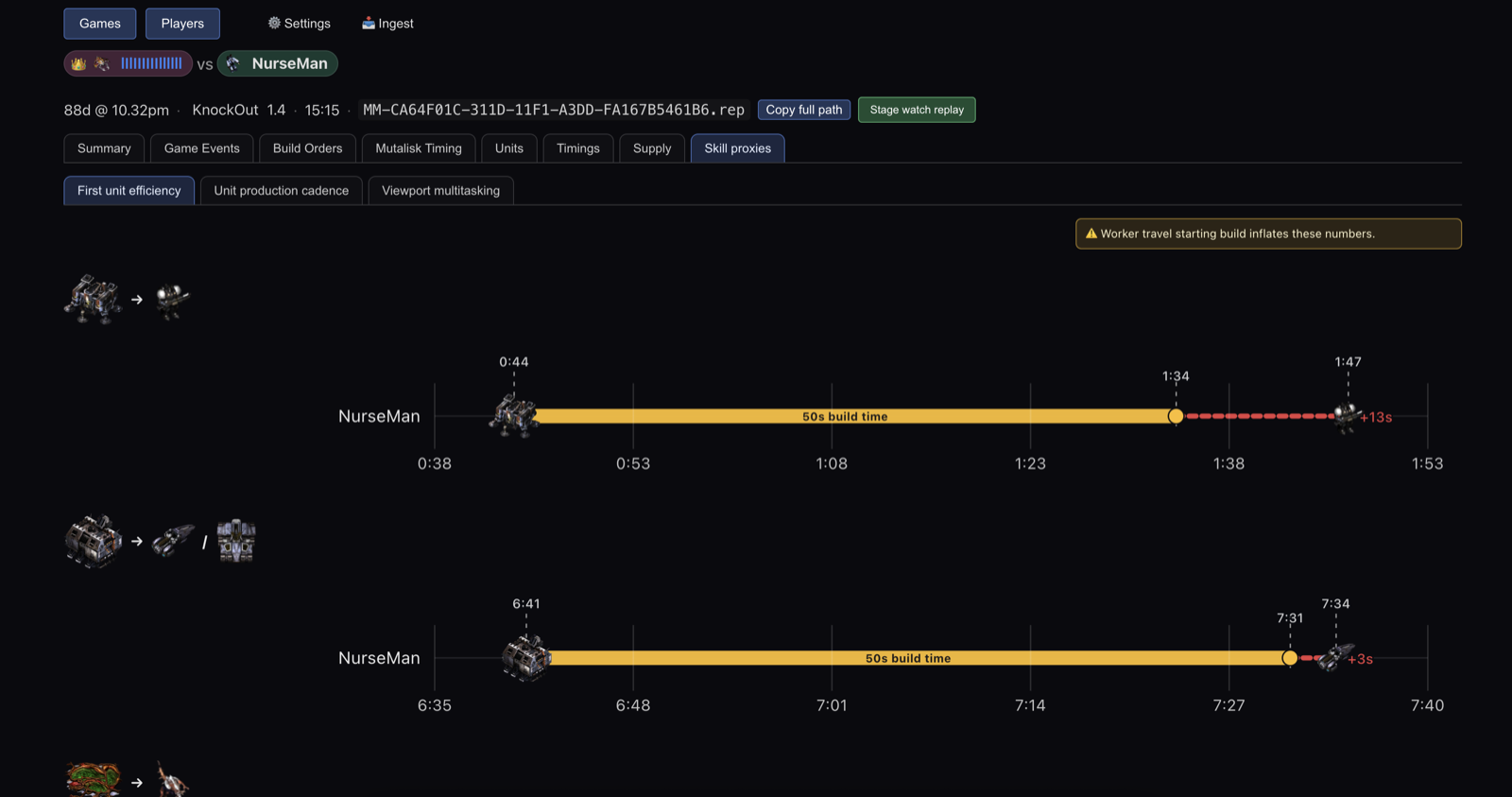
- First-unit efficiency: how quickly you actually use a new production building once it finishes, instead of letting it sit idle.
💩 They’re proxies, not verdicts, and might need some tweaking. Happy to hear other ideas, but note that replays come with strict limitations.
A few more favourites
Fighting replay uncertainty was only half of it. The rest was building things that are genuinely useful, or just delightful, to look at.
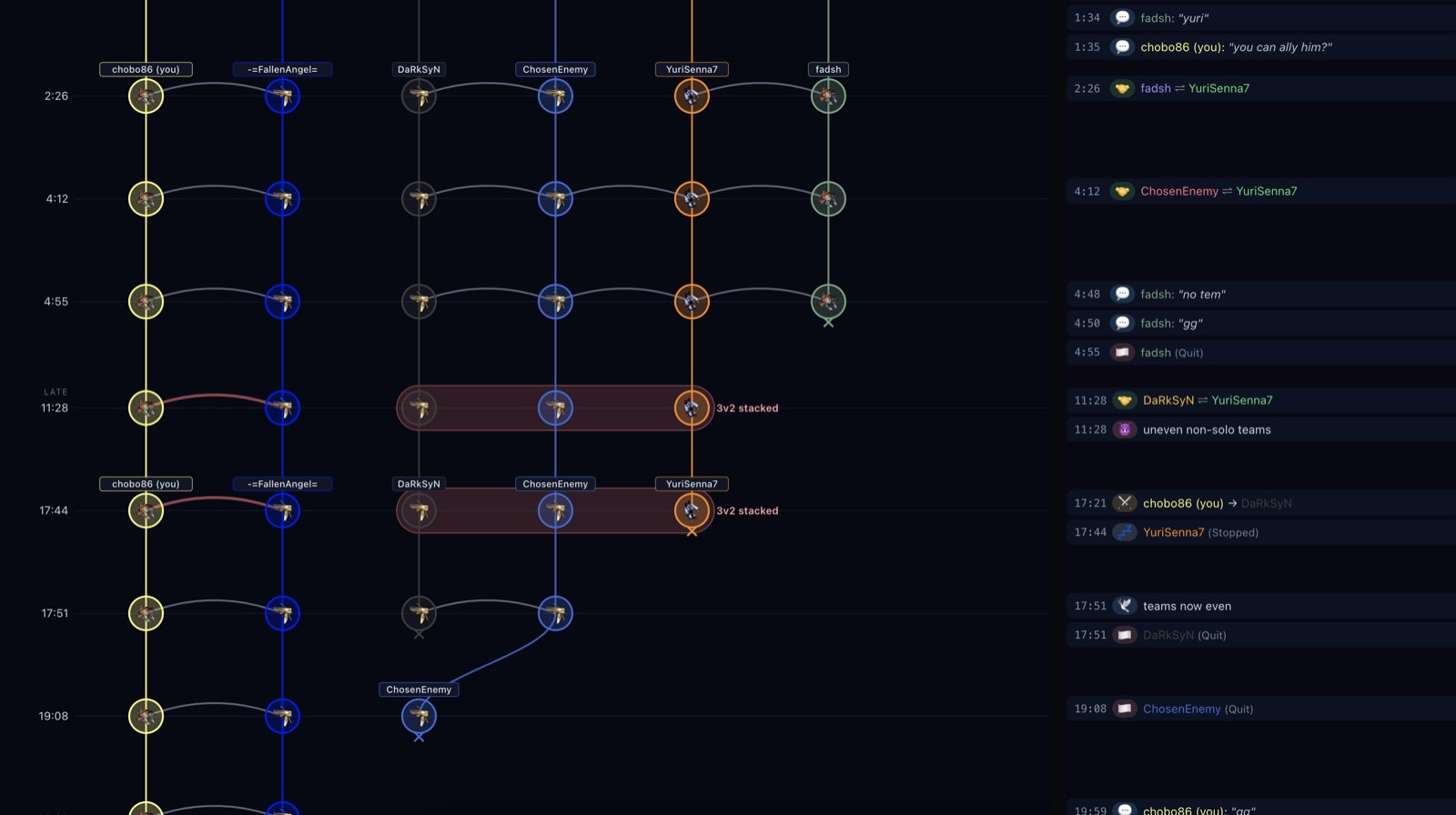
✨ Alliance and team-stacking detection. On melee games, alliances are manual, so who’s really on whose side is a live question. screpdb reconstructs the alliance timeline and flags when teams are lopsided, like a “3v2 stacked” the lobby never advertised.
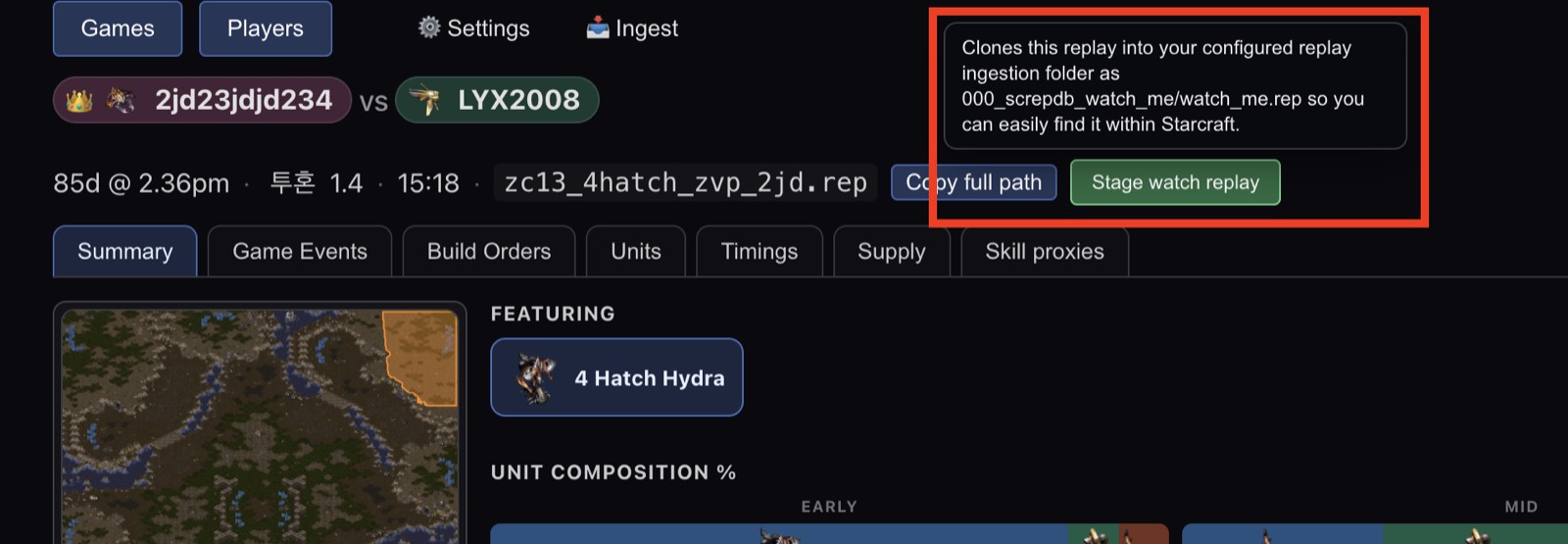
✨ Stage-and-watch. Find a game via filtering on the game list, click once, and screpdb stages that replay so you can watch it in the actual game client. Report to replay in one click.
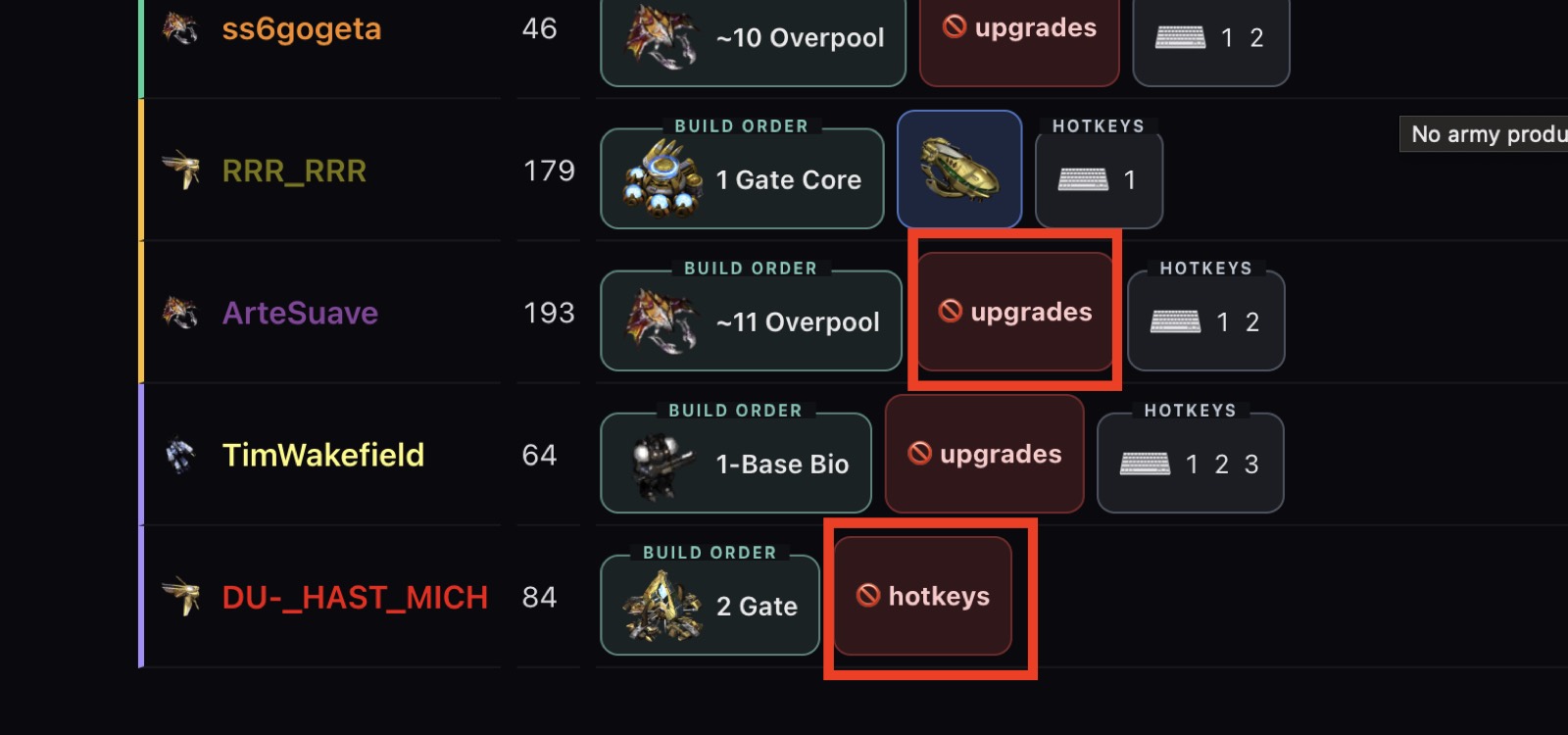
✨ Player fingerprints. It flags telling habits, like a player who never bound a hotkey, or never took a single upgrade or research the whole game.
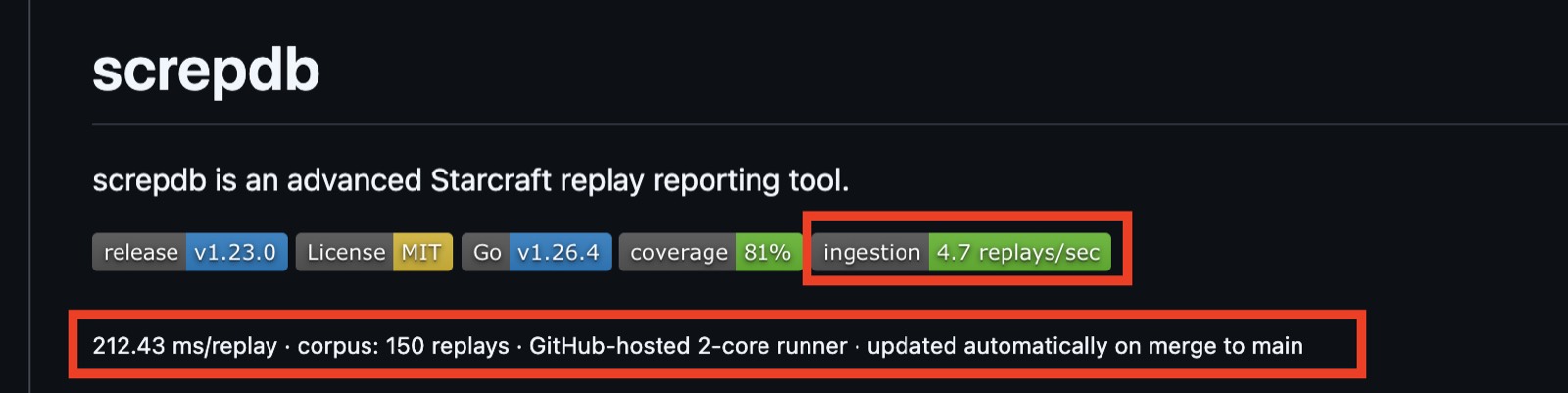
✨ Staying fast. All of this is only useful if it stays responsive over thousands of replays, so ingestion throughput is benchmarked automatically on every merge.
Has AI made all of this?
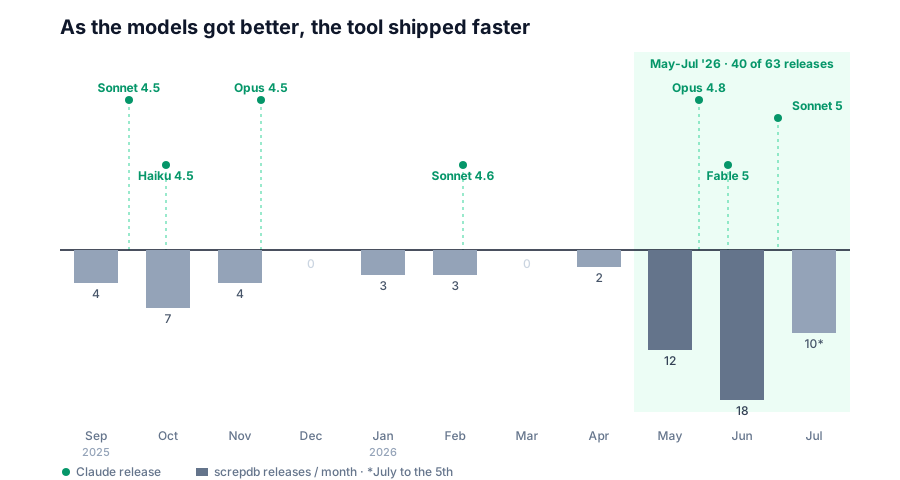
No, it enabled it. Throughout the 9 months I spent developing screpdb, AI kept getting better and better:
And it allowed a backend engineer with no UI chops whatsoever to go from this:
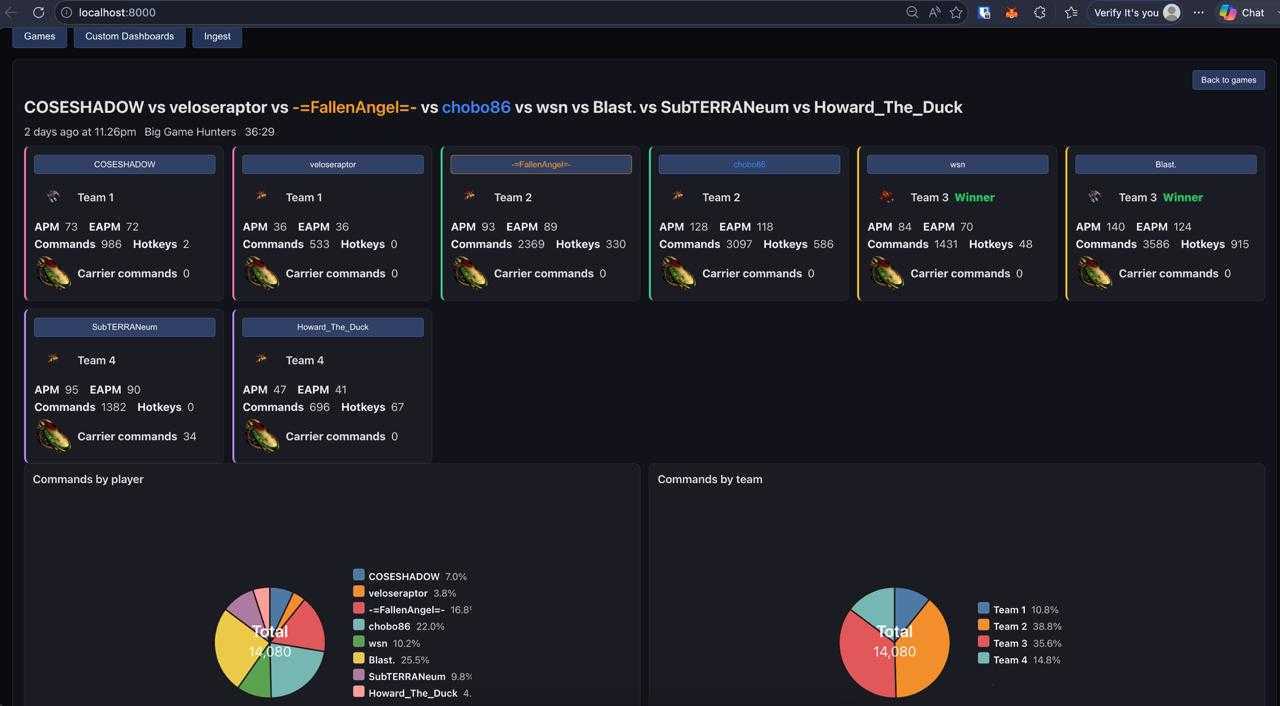 The old dashboard: functional, but a flat wall of numbers.
To this:
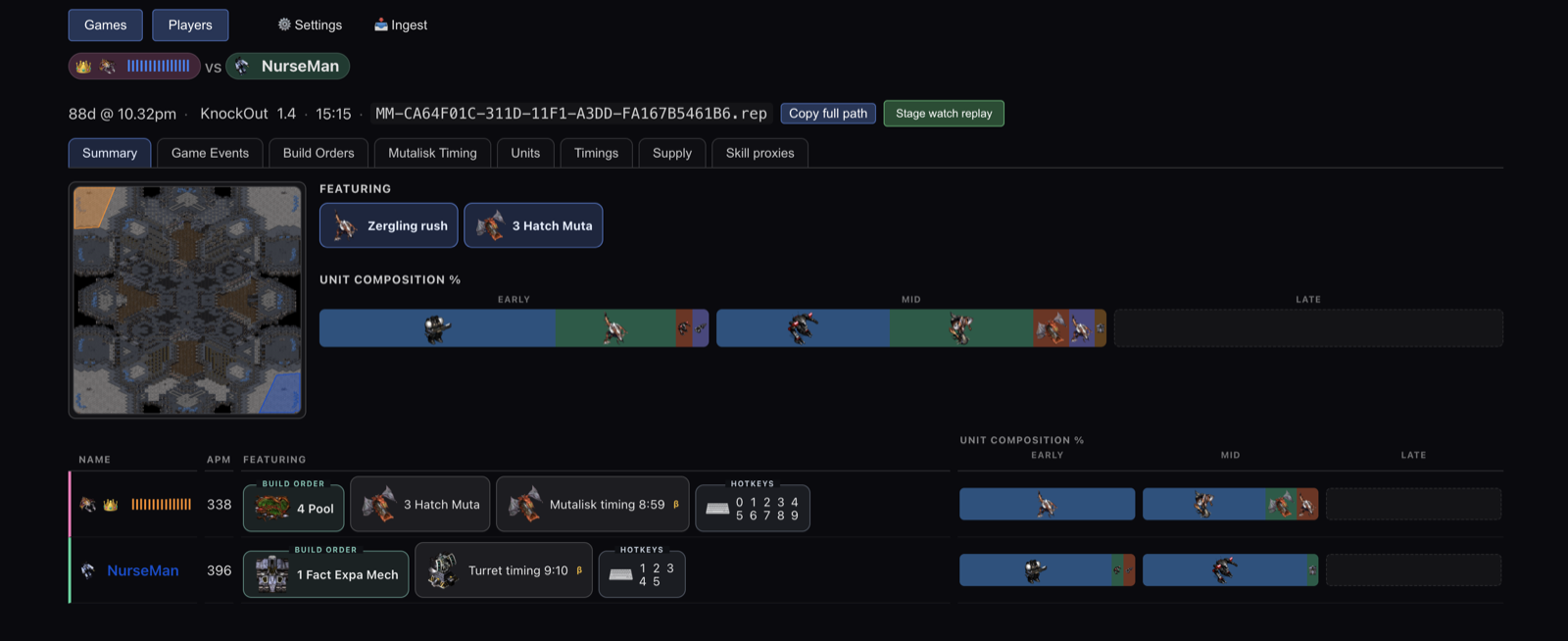 The current per-game summary: one
 .rep, fully unpacked into build orders, unit composition across early/mid/late game, spellcasts, and per-player stats.
But even with this colossal swiss army knife, I had to fight the ways AI quietly gets things wrong. The code is correct, reads well, passes the tests, and is often quietly wasteful. It never shows up on three replays, only once you point it at thousands:
- It built the dashboard’s queries with no composite indexes, so every panel full-scanned the commands table (fixed ).
- It kept re-doing work it had already done: re-computing expert timings on every page load, re-scanning the command table for a signal it had already stored (#101 ).
- And some things it simply couldn’t do. No model just knows a game was a cheeky proxy 2-gate, so I watched and labelled 171 replays by hand to teach the detectors what’s real.
Can you build on top of it?
The dashboard is only the friendly face. Underneath, screpdb is a plain database with an API, so you can wire it into your own tooling:
- Ingest replays straight from the CLI (
screpdb ingest). - Run the server headless (
screpdb dashboard --headless) and hit it programmatically. - Every dashboard feature is exposed over a documented OpenAPI surface.
There’s more in the developer docs .
I’d love it if you’d check it out!
It’s fully free 🍺 and open source. No donations needed, don’t buy me a coffee.
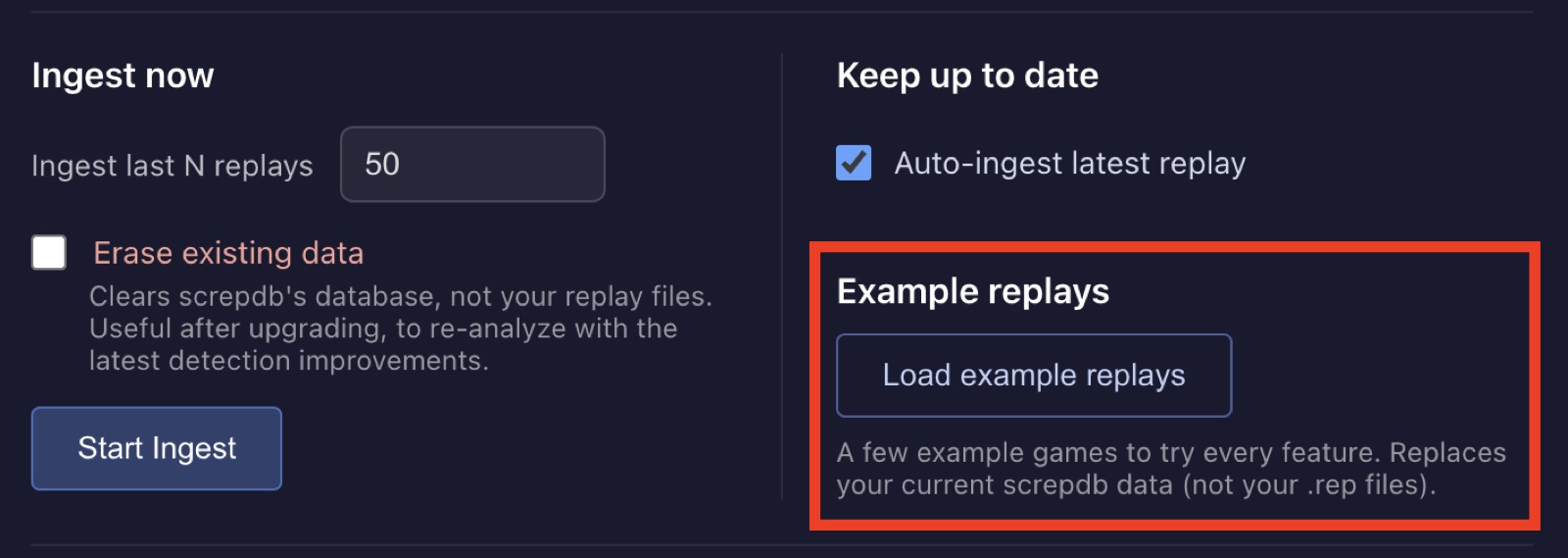
It ships with a sample replay pack, so you don’t even need your own replays to see what it does:
On Windows, install with Scoop :
scoop bucket add screpdb https://github.com/marianogappa/screpdb
scoop install screpdb
screpdb-gui
On macOS, install with Homebrew :
brew install marianogappa/screpdb/screpdb
screpdb
On Linux, use the one-line installer:
curl -fsSL https://raw.githubusercontent.com/marianogappa/screpdb/main/install.sh | sh
screpdb
Full instructions are on the project page .
Feel free to let me know if you enjoyed it, and please file an issue if there’s a problem.
But honestly, the tool is the least important part of this. What’s worth holding onto is people you’ll still be playing and laughing with decades from now. I hope screpdb helps a little. Keep playing together!